• Skip to primary navigation
  • Skip to main content
  • Skip to primary sidebar
  • Skip to footer

Maschine Tutorials

  • Home
  • About
    • Contact
  • Free Tutorials
  • Maschine Quickstart
    • Maschine MK3 Quickstart
    • Maschine 2 Quickstart
  • Become a Member
  • Log In

sound design

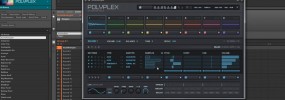
Maschine 2 creating custom drum sounds using Polyplex

Hey what’s good fam? Just wanted to share a quick sound design tip with you for those using Komplete 10 or if you happened to pick up the new Polyplex instrument. Also keep in mind this process can be used with pretty much any plugin or sound generation tool even if you don’t own this […]

Filed Under: Komplete Integration, Sound Design Tutorial By: saintjoe

Using Motu BPM to design custom drums for Maschine

Yo what’s good fam, got a quick sound design tutorial for ya This one shows how to use Motu BPM and it’s layering options to create your own custom drum sounds for use in Maschine or anything else. I really like the layout of BPM drum layering, it’s really quick and easy to make some […]

Filed Under: Plugin & App Integration, Sound Design Tutorial By: saintjoe

Sound design in Maschine with Spectrasonics Omnipshere
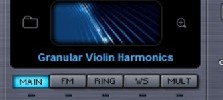
What’s good MT fam! You know our main goal is to make sure you can make the music YOU want to make with Maschine. So if we need to do a tutorial on a third party software that you have we will….if we have it 🙂 Had one of the MT fam ask about Omnisphere […]

Filed Under: Modulation & Automation, Plugin & App Integration, Sound Design Tutorial By: saintjoe

Creating custom sounds in Maschine using Kontakt 5
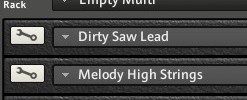
Yo what’s good MT Fam, just wanted to share a tutorial on sound design in Maschine with Kontakt 5. What I really dig about designing sounds in Maschine is it’s so quick to save what you made. Yeah, you can save multis in kontakt and all that, but I find saving custom sounds in Maschine […]

Filed Under: Komplete Integration, Plugin & App Integration, Sound Design Tutorial By: saintjoe

How to layer multiple plugins on a single pad without using KORE
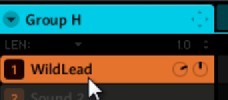
Sup MT fam! I got a good one for ya, you know we love to experiment, for those that love to make their own sounds, mixing and matching different synths and such…you’re gonna love this one! For those that have KORE, you know how fund this can be. But KORE is no longer being developed […]

Filed Under: Plugin & App Integration, Sound Design Tutorial By: saintjoe

Making your own deep sub bass with the factory waveforms

Many don’t realize Maschine has all the basic waveforms and controls of a basic synth. In this basic sound design tutorial I want to show you how to use the factory sine wave to make your own sub bass. Instead of searching for that perfect bump, this will show you how to make your own! […]

Filed Under: Sound Design Tutorial By: saintjoe

  • Page 1
  • Page 2
  • Go to Next Page »

Primary Sidebar

Tutorial Categories

  • Audio Tracks & Loop Recording
  • Basics & Getting Started
  • Beat Making & Song Creation
  • Controller & MIDI Mapping
  • DAW & Host Integration
  • External Sounds & Instruments
  • FX & Audio Routing
  • Komplete Integration
  • Library, Sounds, & Browsing
  • Maschine 2
  • Maschine Jam
  • Maschine Mikro
  • Maschine MK1
  • Maschine MK2
  • Maschine MK3
  • Maschine Plus
  • Maschine Studio
  • MIDI Routing & Setup
  • Modulation & Automation
  • MT Skill Builders
  • Pad, Chord, & Key Tools
  • Plugin & App Integration
  • Quick Tips & Tricks
  • Sampling & Chopping
  • Saving & Exporting
  • Sequencing & Arranging
  • Software Interface & Updates
  • Sound Design
  • Tracking Out Audio
  • Working with Vocals

Footer

Sounds & Expansions

  • Fluxwithit
  • Loopmasters
  • MSX Audio
  • NKS Preset Packs
  • Plugin Boutique
  • Sounds And Gear

Partner Resources

  • CreativeLive
  • LinkedIn Learning
  • Maschine Facebook Group
  • Maschine Tutorials Espanol
  • Maschine Tutorials Portugues
  • Traktor Pro Tutorials

Tutorial Categories

Stay Connected!

Copyright Maschine Tutorials LLC | Terms & Privacy | **Native Instruments MASCHINE is a trademark of Native Instruments GmbH

  • Home
  • About
    • Contact
    • Back
  • Free Tutorials
  • Maschine Quickstart
    • Maschine MK3 Quickstart
    • Maschine 2 Quickstart
    • Back
  • Become a Member
  • Log In