
This tutorial gives you a rundown of one of the new features in Maschine 1.6 that let’s you layer samples better. This feature is called Pad Link Groups and it lets you stack samples and trigger them together while still having full control of each sample. In this video I explain the difference between master […]
maschine 1.6
How to access presets in plugins that show disabled or empty

With the machine 1.6 update and ability to load vst/au plugins there are a lot of questions on accessing plugin presets. Some of them show all presets, and some show disabled or empty in the list, instead of preset names. This tutorial shows you how to use the program lists inside many plugins to access […]
Managing VST and AU plugins inside Maschine – Installing Plugins

This video shows you how to get your plugins inside Maschine no and will work for you no matter if you are using VST or AU plugins. It also explains how Maschine handles 32bit and 64 bit plugins differently, and how which version of the Maschine software (32 bit or 64 bit) you are using […]
How to apply swing to the master, group, and individual sounds in maschine
This quick tutorial shows you how to apply swing or groove settings to the master output, individual groups, or even individual sounds within the maschine sequencer. The ability to apply swing to individual sounds is a new feature that came in Maschine 1.6 Swing allows you to shift and pull the groove of your tracks […]
How to save plugin presets into the Maschine library
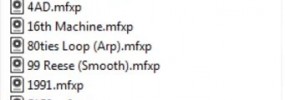
This tutorial shows you the process of saving VST plugin presets into the Maschine library and how to tag them so you can pull them up easily from the software or hardware *access instantly when you join today!
How to load your plugins from the hardware or software
This basic tutorial shows you the process of loading your plugin to a pad or sound in Maschine, both from the software and the hardware.
