• Skip to primary navigation
  • Skip to main content
  • Skip to primary sidebar
  • Skip to footer

Maschine Tutorials

  • Home
  • About
    • Contact
  • Free Tutorials
  • Maschine Quickstart
    • Maschine MK3 Quickstart
    • Maschine 2 Quickstart
  • Become a Member
  • Log In

template

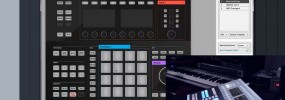
How to sequence the Maschine 2.0 plugin in Studio One & Maschine Studio controller editor setup

So it’s time to dive into Daw integration, this one is for Studio One users but the template and process will be very similar for most Daws Actually the template should work for Maschine Studio in any Daw. If you prefer to use your Daw to handle your Midi sequencing duties, this video will show […]

Filed Under: Controller & MIDI Mapping, DAW & Host Integration, Maschine 2, Maschine Studio Tutorial By: saintjoe

Primary Sidebar

Tutorial Categories

  • Audio Tracks & Loop Recording
  • Basics & Getting Started
  • Beat Making & Song Creation
  • Controller & MIDI Mapping
  • DAW & Host Integration
  • External Sounds & Instruments
  • FX & Audio Routing
  • Komplete Integration
  • Library, Sounds, & Browsing
  • Maschine 2
  • Maschine Jam
  • Maschine Mikro
  • Maschine MK1
  • Maschine MK2
  • Maschine MK3
  • Maschine Plus
  • Maschine Studio
  • MIDI Routing & Setup
  • Modulation & Automation
  • MT Skill Builders
  • Pad, Chord, & Key Tools
  • Plugin & App Integration
  • Quick Tips & Tricks
  • Sampling & Chopping
  • Saving & Exporting
  • Sequencing & Arranging
  • Software Interface & Updates
  • Sound Design
  • Tracking Out Audio
  • Working with Vocals

Footer

Sounds & Expansions

  • FluxWithIt
  • MSXII Sound Design
  • NKS Preset Packs
  • Sounds And Gear

Tutorial Categories

Stay Connected!

Copyright Maschine Tutorials LLC | Terms & Privacy | **Native Instruments MASCHINE is a trademark of Native Instruments GmbH

  • Home
  • About
    • Contact
    • Back
  • Free Tutorials
  • Maschine Quickstart
    • Maschine MK3 Quickstart
    • Maschine 2 Quickstart
    • Back
  • Become a Member
  • Log In