• Skip to primary navigation
  • Skip to main content
  • Skip to primary sidebar
  • Skip to footer

Maschine Tutorials

  • Home
  • About
    • Contact
  • Free Tutorials
  • Maschine Quickstart
    • Maschine MK3 Quickstart
    • Maschine 2 Quickstart
  • Become a Member
  • Log In

sound design

How to layer plugins internally and play them from your keyboard

Yo what’s good MT fam, I wanted to put out a another free tutorial for the Maschine community as a whole on YouTube showing how to layer your plugins in Maschine. Not only that, I show it in a way that gets around the limitations of Pad Link mode which allows you to actually play […]

Filed Under: Free Maschine Tutorials, MIDI Routing & Setup, Plugin & App Integration, Sound Design Tutorial By: saintjoe

Turning a snare drum into a sub bass or synth instrument
Recently saw a question online about how to use an old school technique from the mpc to turn a snare or other drum into a bass You can use this method to create bass, synths, etc. It’s a good way to learn what the different sampling tools do as well. So I made a sub […]

Filed Under: Sampling & Chopping, Sound Design Tutorial By: saintjoe

How to make a wobble bass in maschine

I get a lot of questions on how to use Maschine to create a wobble/dubstep type bass sound. Now, with plugin support it’s so many ways and options, but I wanted to make a video to show how to do it directly in Maschine using the internal sounds and fx/settings.

Filed Under: Modulation & Automation, Sound Design Tutorial By: saintjoe

Create your own custom instruments from oneshot wave samples
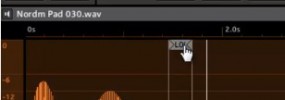
This is another sampling and sound design tutorial to show you how to expand your library. This one shows you how to use oneshot wave samples in maschine, adjust the loop points, crossfade, etc, to make your own new instruments. below are two website I’ve used to get free oneshot samples from various synths and […]

Filed Under: Sampling & Chopping, Sound Design Tutorial By: saintjoe

How to create your own custom sounds using single cycle waveforms
In this maschine tutorial I show you how to quickly and easily expand your own custom instrument sounds using maschine’s synth/sampler engine and single cycle waveforms. Trust me, it’s not as difficult as it sounds and can help you create your own sounds VERY quickly. This allows you to really expand your sound library and […]

Filed Under: Sampling & Chopping, Sound Design Tutorial By: saintjoe

  • « Go to Previous Page
  • Page 1
  • Page 2

Primary Sidebar

Tutorial Categories

  • Audio Tracks & Loop Recording
  • Basics & Getting Started
  • Beat Making & Song Creation
  • Controller & MIDI Mapping
  • DAW & Host Integration
  • External Sounds & Instruments
  • FX & Audio Routing
  • Komplete Integration
  • Library, Sounds, & Browsing
  • Maschine 2
  • Maschine Jam
  • Maschine Mikro
  • Maschine MK1
  • Maschine MK2
  • Maschine MK3
  • Maschine Plus
  • Maschine Studio
  • MIDI Routing & Setup
  • Modulation & Automation
  • MT Skill Builders
  • Pad, Chord, & Key Tools
  • Plugin & App Integration
  • Quick Tips & Tricks
  • Sampling & Chopping
  • Saving & Exporting
  • Sequencing & Arranging
  • Software Interface & Updates
  • Sound Design
  • Tracking Out Audio
  • Working with Vocals

Footer

Sounds & Expansions

  • Fluxwithit
  • Loopmasters
  • MSX Audio
  • NKS Preset Packs
  • Plugin Boutique
  • Sounds And Gear

Partner Resources

  • CreativeLive
  • LinkedIn Learning
  • Maschine Facebook Group
  • Maschine Tutorials Espanol
  • Maschine Tutorials Portugues
  • Traktor Pro Tutorials

Tutorial Categories

Stay Connected!

Copyright Maschine Tutorials LLC | Terms & Privacy | **Native Instruments MASCHINE is a trademark of Native Instruments GmbH

  • Home
  • About
    • Contact
    • Back
  • Free Tutorials
  • Maschine Quickstart
    • Maschine MK3 Quickstart
    • Maschine 2 Quickstart
    • Back
  • Become a Member
  • Log In