• Skip to primary navigation
  • Skip to main content
  • Skip to primary sidebar
  • Skip to footer

Maschine Tutorials

  • Home
  • About
    • Contact
  • Free Tutorials
  • Maschine Quickstart
    • Maschine MK3 Quickstart
    • Maschine 2 Quickstart
  • Become a Member
  • Log In

sequencing

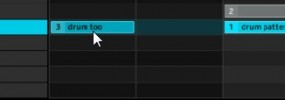
Maschine pattern renaming, drag and drop patterns, drag and drop scenes

New in the Maschine 1.6 update is the ability to rename patterns, drag patterns around to arrange them, as well as the ability to drag scenes around.  If you are new to Maschine you probably don’t know the difference, but with this addition things become a lot more flexible and easier to keep track of. […]

Filed Under: Sequencing & Arranging, Software Interface & Updates Tutorial By: saintjoe

How to apply swing to the master, group, and individual sounds in maschine
This quick tutorial shows you how to apply swing or groove settings to the master output, individual groups, or even individual sounds within the maschine sequencer. The ability to apply swing to individual sounds is a new feature that came in Maschine 1.6 Swing allows you to shift and pull the groove of your tracks […]

Filed Under: Basics & Getting Started, Maschine MK1, Sequencing & Arranging Tutorial By: saintjoe

How to sequence your first beat in maschine

This tutorial shows you how to get started by creating your first beat in Maschine. We go through how to start a new pattern, setting the length, adjusting the grid, and starting the sequencer. I show how to get a count-in, start the metronome, and quantize your beat after the fact. This should help you […]

Filed Under: Basics & Getting Started, Maschine MK1, Sequencing & Arranging Tutorial By: saintjoe

Saving your patterns for use with other kits or songs

This tutorial video shows you how to save your individual pattern files in Maschine. Sometimes you come up with a nice pattern but you don’t finish anything, you can quickly just save the pattern for later use in other songs or even with other kits. You can even use this method to share your own […]

Filed Under: Basics & Getting Started, Saving & Exporting Tutorial By: saintjoe

  • « Go to Previous Page
  • Page 1
  • Page 2
  • Page 3
  • Page 4

Primary Sidebar

Tutorial Categories

  • Audio Tracks & Loop Recording
  • Basics & Getting Started
  • Beat Making & Song Creation
  • Controller & MIDI Mapping
  • DAW & Host Integration
  • External Sounds & Instruments
  • FX & Audio Routing
  • Komplete Integration
  • Library, Sounds, & Browsing
  • Maschine 2
  • Maschine Jam
  • Maschine Mikro
  • Maschine MK1
  • Maschine MK2
  • Maschine MK3
  • Maschine Plus
  • Maschine Studio
  • MIDI Routing & Setup
  • Modulation & Automation
  • MT Skill Builders
  • Pad, Chord, & Key Tools
  • Plugin & App Integration
  • Quick Tips & Tricks
  • Sampling & Chopping
  • Saving & Exporting
  • Sequencing & Arranging
  • Software Interface & Updates
  • Sound Design
  • Tracking Out Audio
  • Working with Vocals

Footer

Sounds & Expansions

  • Fluxwithit
  • Loopmasters
  • MSX Audio
  • NKS Preset Packs
  • Plugin Boutique
  • Sounds And Gear

Partner Resources

  • CreativeLive
  • LinkedIn Learning
  • Maschine Facebook Group
  • Maschine Tutorials Espanol
  • Maschine Tutorials Portugues
  • Traktor Pro Tutorials

Tutorial Categories

Stay Connected!

Copyright Maschine Tutorials LLC | Terms & Privacy | **Native Instruments MASCHINE is a trademark of Native Instruments GmbH

  • Home
  • About
    • Contact
    • Back
  • Free Tutorials
  • Maschine Quickstart
    • Maschine MK3 Quickstart
    • Maschine 2 Quickstart
    • Back
  • Become a Member
  • Log In