• Skip to primary navigation
  • Skip to main content
  • Skip to primary sidebar
  • Skip to footer

Maschine Tutorials

  • Home
  • About
    • Contact
  • Free Tutorials
  • Maschine Quickstart
    • Maschine MK3 Quickstart
    • Maschine 2 Quickstart
  • Become a Member
  • Log In

sequence edit

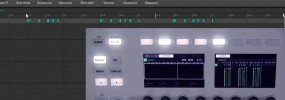
Maschine Studio using the event edit mode to edit your sequences

One of the improvements of Maschine 2.0 specifically with the Maschine Studio is the amount of visual feedback you get on the controller. This makes using the event edit mode really slick because you can drill down into individual notes in your sequence and edit things like pitch, position, volocity, and length very easily. In […]

Filed Under: Maschine 2, Maschine Studio, Sequencing & Arranging Tutorial By: saintjoe

Primary Sidebar

Tutorial Categories

  • Audio Tracks & Loop Recording
  • Basics & Getting Started
  • Beat Making & Song Creation
  • Controller & MIDI Mapping
  • DAW & Host Integration
  • External Sounds & Instruments
  • FX & Audio Routing
  • Komplete Integration
  • Library, Sounds, & Browsing
  • Maschine 2
  • Maschine Jam
  • Maschine Mikro
  • Maschine MK1
  • Maschine MK2
  • Maschine MK3
  • Maschine Plus
  • Maschine Studio
  • MIDI Routing & Setup
  • Modulation & Automation
  • MT Skill Builders
  • Pad, Chord, & Key Tools
  • Plugin & App Integration
  • Quick Tips & Tricks
  • Sampling & Chopping
  • Saving & Exporting
  • Sequencing & Arranging
  • Software Interface & Updates
  • Sound Design
  • Tracking Out Audio
  • Working with Vocals

Footer

Sounds & Expansions

  • Fluxwithit
  • Loopmasters
  • MSX Audio
  • NKS Preset Packs
  • Plugin Boutique
  • Sounds And Gear

Partner Resources

  • CreativeLive
  • LinkedIn Learning
  • Maschine Facebook Group
  • Maschine Tutorials Espanol
  • Maschine Tutorials Portugues
  • Traktor Pro Tutorials

Tutorial Categories

Stay Connected!

Copyright Maschine Tutorials LLC | Terms & Privacy | **Native Instruments MASCHINE is a trademark of Native Instruments GmbH

  • Home
  • About
    • Contact
    • Back
  • Free Tutorials
  • Maschine Quickstart
    • Maschine MK3 Quickstart
    • Maschine 2 Quickstart
    • Back
  • Become a Member
  • Log In