• Skip to primary navigation
  • Skip to main content
  • Skip to primary sidebar
  • Skip to footer

Maschine Tutorials

  • Home
  • About
    • Contact
  • Free Tutorials
  • Maschine Quickstart
    • Maschine MK3 Quickstart
    • Maschine 2 Quickstart
  • Become a Member
  • Log In

groups

Maschine Studio copying events between groups

Hey what’s good fam? Had some questions from some members on how to copy data between groups properly so I wanted to make a quick video to make sure the process is understood. You can copy via the duplicate button or by using just the events, so I wanted to show both ways and also […]

Filed Under: Maschine 2, Maschine Studio, Quick Tips & Tricks, Sequencing & Arranging Tutorial By: saintjoe

Understanding the group, pattern, and automation control section in Maschine 2.0
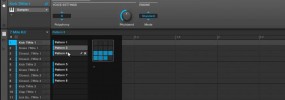
Another one of the main section in Maschine 2 that you will be using is the group/pattern area. This is where all of your sequencing is done, and where all of your sounds/kits will appear. This is also the section where you can draw in or edit automation and modulation data. There have been a […]

Filed Under: Basics & Getting Started, Maschine 2, Software Interface & Updates Tutorial By: saintjoe

Free Maschine Mikro Tutorial – How to choose groups

In this tutorial I show how to choose groups on Native Instruments Maschine Mikro. Since the controller is smaller we don’t have group buttons on this one like the ones on the original. Make sure to check it out and share it around! For those with the original Maschine this helps you get passed the […]

Filed Under: Controller & MIDI Mapping, Free Maschine Tutorials, Maschine Mikro Tutorial By: saintjoe

Maschine Mikro: Loading groups and kits from the controller
In this tutorial for Maschine Mikro I show the process of loading groups and kits directly from the hardware controller The way you browse on the Mikro is pretty similar to the standard controller but with a few differences, however once you get used to them it’s very quick. It takes a bit of getting […]

Filed Under: Controller & MIDI Mapping, Maschine Mikro, Pad, Chord, & Key Tools Tutorial By: saintjoe

Primary Sidebar

Tutorial Categories

  • Audio Tracks & Loop Recording
  • Basics & Getting Started
  • Beat Making & Song Creation
  • Controller & MIDI Mapping
  • DAW & Host Integration
  • External Sounds & Instruments
  • FX & Audio Routing
  • Komplete Integration
  • Library, Sounds, & Browsing
  • Maschine 2
  • Maschine Jam
  • Maschine Mikro
  • Maschine MK1
  • Maschine MK2
  • Maschine MK3
  • Maschine Plus
  • Maschine Studio
  • MIDI Routing & Setup
  • Modulation & Automation
  • MT Skill Builders
  • Pad, Chord, & Key Tools
  • Plugin & App Integration
  • Quick Tips & Tricks
  • Sampling & Chopping
  • Saving & Exporting
  • Sequencing & Arranging
  • Software Interface & Updates
  • Sound Design
  • Tracking Out Audio
  • Working with Vocals

Footer

Sounds & Expansions

  • Fluxwithit
  • Loopmasters
  • MSX Audio
  • NKS Preset Packs
  • Plugin Boutique
  • Sounds And Gear

Partner Resources

  • CreativeLive
  • LinkedIn Learning
  • Maschine Facebook Group
  • Maschine Tutorials Espanol
  • Maschine Tutorials Portugues
  • Traktor Pro Tutorials

Tutorial Categories

Stay Connected!

Copyright Maschine Tutorials LLC | Terms & Privacy | **Native Instruments MASCHINE is a trademark of Native Instruments GmbH

  • Home
  • About
    • Contact
    • Back
  • Free Tutorials
  • Maschine Quickstart
    • Maschine MK3 Quickstart
    • Maschine 2 Quickstart
    • Back
  • Become a Member
  • Log In